Best CPU for RTX 4060
For most builds, the AMD Ryzen 5 7600X or Ryzen 5 9600X is the best overall pairing for an RTX 4060 — enough single-core performance to avoid bottlenecking the GPU at 1080p and 1440p, without spending money the RTX 4060 can’t actually use.
Budget builders should look at the AMD Ryzen 5 5600 (DDR4, very cheap, still plenty fast for this GPU), while anyone who wants extra multi-threaded headroom for streaming or future GPU upgrades should step up to the Ryzen 7 9700X or Intel Core Ultra 5 250K Plus. The RTX 4060 does not need a flagship CPU — it’s a 1080p-to-1440p card, and pairing it with something like a Ryzen 9 9950X3D wastes money that would do more good spent on a monitor, more RAM, or a future GPU upgrade.
The right choice still depends on your resolution, refresh rate target, and whether you’re upgrading a whole system or just dropping a new CPU into an existing motherboard. The sections below break down exactly when to spend more and when not to.
Quick Answer / Key Takeaways
Here’s the short version before the deep dive: these are the CPUs worth considering for an RTX 4060, sorted by who each one actually suits.
| CPU | Best For | RTX 4060 Bottleneck Risk | Value |
|---|---|---|---|
| AMD Ryzen 5 5600 | Tightest budget builds, DDR4 platforms | Low at 1440p, minor at high-refresh 1080p in CPU-heavy titles | Excellent |
| AMD Ryzen 5 7600X / 9600X | Best overall pairing for most gamers | Very low | Excellent |
| Intel Core i5-14600K | Budget-to-mid Intel build, existing Z790/B760 board | Very low | Very good |
| Intel Core Ultra 5 250K Plus | New Intel builds, mixed gaming/productivity | Very low | Very good |
| AMD Ryzen 5 7500X3D | High-refresh 1080p esports on a budget | Very low | Very good |
| AMD Ryzen 7 9700X | Streaming, multitasking, future GPU upgrade path | Negligible | Good |
| AMD Ryzen 7 9800X3D | Overkill for RTX 4060 today, useful only for future GPU upgrades | Negligible | Poor for this GPU specifically |
The “right” CPU for an RTX 4060 depends on several things beyond raw benchmark rankings:
- Resolution — 1080p leans on the CPU more than 1440p does.
- Target FPS — chasing 240Hz numbers changes the calculus versus a steady 60-75 FPS target.
- Game type — open-world and simulation titles lean on the CPU differently than competitive shooters.
- Refresh rate — a 60Hz monitor doesn’t need the same CPU as a 240Hz one.
- Existing motherboard/platform — reusing a board saves real money over a full rebuild.
- DDR4 vs DDR5 — DDR4 platforms (like AM4) are cheaper to build around but cap out sooner.
- Upgrade plans — buying for today’s GPU versus buying with a future GPU upgrade in mind changes the math.
Best CPUs for RTX 4060
None of these CPUs are picks just because they’re fast — an RTX 4060 caps out well before most current chips do, so the value here is in matching the CPU to what you’ll actually use it for, not chasing benchmark charts.
AMD Ryzen 5 7600X / Ryzen 5 9600X
These two chips are close enough in real-world gaming performance that they can be treated as a pair. Both are six-core, twelve-thread Zen 4/Zen 5 parts on the AM5 socket, and both have more single-core performance than an RTX 4060 needs at 1080p or 1440p — the GPU tops out well before either CPU does in the vast majority of games, so you’re not leaving performance on the table. The 65W TDP keeps power draw low and makes cooling easy with a modest air cooler.
At 1080p, both are GPU-bound in almost all modern titles at high settings; only the most competitive esports games chasing very high frame rates might occasionally nudge the CPU into being the limiting factor. At 1440p, they’re essentially always GPU-bound — the RTX 4060 becomes the ceiling first. Bottleneck potential is very low across the board, and since AM5 is AMD’s current socket with confirmed support for upcoming CPU generations, you can drop in a faster chip later — including 3D V-Cache parts — if you upgrade the GPU and want more headroom.
This is the pick for anyone building a new system around an RTX 4060 who wants a no-compromise pairing without overspending. It doesn’t make sense, though, for someone already sitting on a competent AM4 or LGA1700 CPU — a lateral platform switch just for this GPU isn’t worth the cost.
AMD Ryzen 5 5600
The Ryzen 5 5600 is a six-core, twelve-thread AM4 chip that remains one of the best price-to-performance CPUs available, largely because AM4 platform costs — motherboard and DDR4 RAM — are now very low. In direct testing, the 5600 tracks closely with pricier siblings like the Ryzen 7 5800X in gaming workloads, which means it has more than enough headroom for an RTX 4060.
It handles the vast majority of games at high refresh rates without becoming the limiting factor at 1080p, though a handful of simulation-heavy or CPU-intensive titles may show it working harder than a newer chip would. At 1440p it’s comfortably GPU-bound. Bottleneck potential is low, with one caveat: AM4 is near the end of its upgrade runway, so this only makes sense if you’re not planning to upgrade the CPU again down the line.
It’s the right call for budget builders and anyone reusing an existing AM4 motherboard and DDR4 memory. Skip it if you want to reuse the same board for CPU upgrades several years from now.
Intel Core i5-14600K
The 14600K pairs 6 performance cores with 8 efficiency cores, giving it strong gaming performance alongside decent multitasking capability. It has enough single-thread performance to keep an RTX 4060 fed in essentially any game, and the hybrid core design helps with background tasks like Discord, browsers, or light streaming.
At 1080p it comfortably keeps up with the RTX 4060 in the overwhelming majority of titles, and at 1440p it’s GPU-bound in virtually all cases — bottleneck potential is very low. It does run hotter and draw more power under load than AMD’s 65W parts, so a proper cooler matters more here. It works with Z790 and B760 motherboards (mostly DDR5, though some DDR4 boards exist), but Intel has since moved on to newer sockets, so the upgrade path going forward is limited.
Existing Z790/B760 owners get the most value here, as does anyone who finds it discounted and doesn’t mind giving up future socket longevity. It’s a weaker choice for someone starting from scratch who wants a longer upgrade runway on the same board.
Intel Core Ultra 5 250K Plus
Intel’s current budget-to-mid-range option pairs six Lion Cove performance cores with twelve Skymont efficiency cores for 18 total cores and threads. It has ample single-thread performance for an RTX 4060 and stronger multi-threaded output than most AMD chips near its price, which helps in mixed gaming-and-productivity use.
It’s strong across current titles at 1080p and GPU-bound at 1440p, with very low bottleneck potential either way. Power draw is reasonable for the performance on offer, though AMD’s 65W chips still run cooler. The catch is platform: LGA1851 is a newer Intel socket, and long-term CPU upgrade support on it isn’t guaranteed the way AMD has committed to with AM5.
Builders who want a mix of solid gaming performance and stronger multi-core output — video editing, compiling, that kind of work — get real value here. If you’re building purely for gaming on the tightest possible budget, cheaper AMD options get you there for less.
AMD Ryzen 5 7500X3D
This is AMD’s lowest-priced chip with 3D V-Cache, AMD’s stacked-cache technology that keeps more game data close to the CPU cores and reduces latency in cache-sensitive titles. The extra cache noticeably helps 1% lows and frame time consistency, which matters more at high refresh rates than raw average FPS does.
It’s very strong at 1080p, particularly in esports and competitive titles chasing high frame rates, and comfortably GPU-bound at 1440p, where the RTX 4060 is the limiting factor well before this CPU is. Clock speeds are lower than its non-X3D siblings, but it’s efficient and easy to cool, and it sits on AM5 with all the upgrade-path benefits that come with it.
This is the pick for high-refresh 1080p gamers, particularly in esports titles, who want the smoothest frame time consistency for the money. It’s a weaker fit for anyone doing heavier multi-threaded work, since it only has six cores.
AMD Ryzen 7 9700X
An eight-core, sixteen-thread Zen 5 chip that goes beyond what an RTX 4060 strictly needs for gaming, but adds real value for people who do more than just game. Gaming performance is excellent, and the extra cores help with streaming, background applications, and productivity work without touching the GPU’s ceiling.
There’s no limitation for this GPU in any current title at 1080p, and it’s GPU-bound at 1440p — bottleneck potential is negligible. It runs cool and efficient for its performance level, sits on AM5/DDR5, and benefits from AM5’s long confirmed upgrade runway.
Streamers, multitaskers, and anyone planning to upgrade to a significantly faster GPU later without replacing the CPU should look here first. For a pure gamer on a budget, though, this is more CPU than an RTX 4060 alone requires.
Best Budget CPU for RTX 4060
What is the cheapest CPU that won’t bottleneck an RTX 4060?
Short answer: The AMD Ryzen 5 5600 is the cheapest CPU that reliably avoids bottlenecking an RTX 4060 in the vast majority of games and settings.
Realistic budget options break down into three tiers:
- Acceptable pairing: A six-core CPU from the last few generations (Ryzen 5 5600, older Core i5 chips) handles most games without becoming the primary limiter, though a few CPU-heavy titles or very high frame rate targets may show some CPU-side limitation.
- Good pairing: The Ryzen 5 7600X, Ryzen 5 9600X, or Core i5-14600K remove almost all bottleneck risk while staying reasonably priced.
- Ideal pairing: The Ryzen 5 7500X3D or Ryzen 7 9700X eliminate bottleneck risk entirely and add headroom for future upgrades, at a modest cost premium.
Where a bottleneck actually shows up depends heavily on the specific game, your settings, your target resolution, and your FPS goal. A budget CPU paired with an RTX 4060 at 1440p on a 60Hz monitor is very unlikely to bottleneck. The same CPU chasing 240 FPS in a competitive shooter at 1080p is far more likely to run into its ceiling first.
Best CPU for RTX 4060 at 1080p
1080p is more CPU-sensitive than higher resolutions because the GPU has less rendering work to do per frame, which shifts more of the workload — and more of the frame-rate ceiling — onto the CPU.
- 60 FPS gaming: Almost any modern six-core CPU handles this without issue.
- 144 FPS gaming: Mid-range CPUs like the Ryzen 5 7600X or Core i5-14600K comfortably sustain this in most titles.
- 240 Hz gaming: This is where CPU choice starts to matter more, especially in esports titles. A Ryzen 5 7500X3D or similar cache-heavy chip helps sustain high, consistent frame rates.
- Esports titles: Games like competitive shooters or MOBAs are often lightly threaded but latency-sensitive, so cache and single-core clock speed matter more than core count.
- CPU-heavy games: Simulation and strategy titles with large numbers of on-screen units or complex AI can lean harder on the CPU than their graphics would suggest.
An RTX 4060 can become more CPU-limited at high FPS targets and lower graphics settings simply because there’s less GPU work per frame — the CPU has to keep up with a faster pace of frame requests.
Best CPU for RTX 4060 at 1440p
Moving from 1080p to 1440p roughly doubles the per-frame rendering workload, which shifts the bottleneck point toward the GPU. At 1440p, the RTX 4060 itself becomes the limiting factor in most games well before a mid-range or higher CPU does.
Does upgrading to a high-end CPU make sense for an RTX 4060 at 1440p? Generally, no. Once you’re GPU-bound, a faster CPU won’t raise your frame rate — the GPU is already the ceiling. The exception is competitive or esports titles at 1440p where lower settings are used specifically to chase very high frame rates; in those cases, CPU performance can still matter.
Does the RTX 4060 bottleneck the CPU, or does the CPU bottleneck the RTX 4060?
Both are possible, and which one happens depends on the game, settings, and resolution — there’s no fixed answer that applies universally.
- CPU bottleneck: The CPU can’t feed the GPU frames fast enough, so the GPU sits underutilized while frame rate is capped by CPU performance.
- GPU bottleneck: The GPU is doing more work per frame than it can keep up with, so it runs near 100% utilization while the CPU has spare capacity.
- Balanced workload: Neither component is clearly the limiting factor; both are working near their effective capacity for that specific scene.
Key terms worth understanding:
- CPU utilization — how busy the CPU cores are, though this alone doesn’t tell you whether the CPU is limiting performance.
- GPU utilization — how busy the graphics card is; consistently below 100% can (but doesn’t always) indicate the CPU is holding it back.
- FPS — frames rendered per second, the most common but incomplete performance metric.
- 1% lows — the average frame rate of the slowest 1% of frames, a better indicator of smoothness than average FPS.
- Frame time — the time it takes to render each individual frame; inconsistent frame times cause perceived stutter even when average FPS looks fine.
- Background processes — browsers, overlays, and other software running alongside a game can quietly eat into CPU headroom.
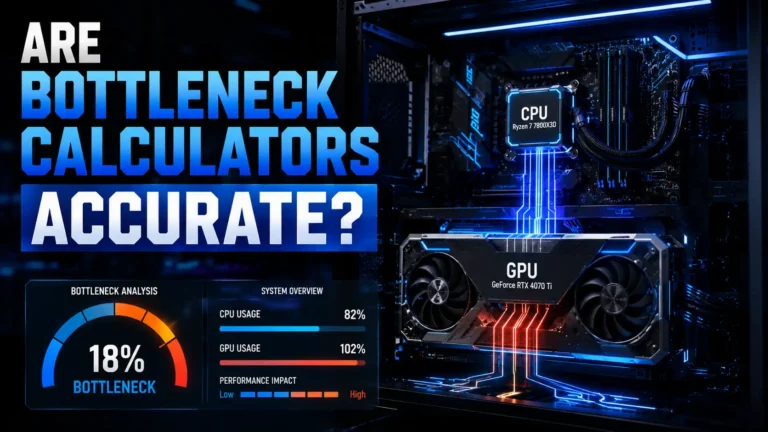
There is no universal, fixed “RTX 4060 bottleneck percentage” that applies across every game and CPU combination. Bottleneck severity changes scene to scene within the same game, let alone across different titles.
How to Tell if Your CPU Is Bottlenecking an RTX 4060
Monitor GPU utilization, CPU core usage, clock speeds, and frame time consistency during actual gameplay — not just in a single benchmark run — using software like MSI Afterburner paired with RivaTuner Statistics Server (RTSS).
Practical diagnostic steps:
- Install MSI Afterburner and enable the RTSS on-screen display.
- Set up an overlay showing GPU utilization, individual CPU core usage, CPU package usage, GPU clock speed, CPU clock speed, FPS, 1% lows, frame time, and temperatures.
- Play the actual game you’re concerned about, not just a benchmark — real gameplay often stresses the CPU differently than a canned benchmark sequence.
- Watch for patterns: consistently low GPU usage alongside high CPU core usage in a specific scene suggests the CPU is the limiting factor there.
- Compare frame time consistency, not just average FPS — a game averaging 90 FPS with wildly inconsistent frame times will feel worse than a game holding a steady 75 FPS.
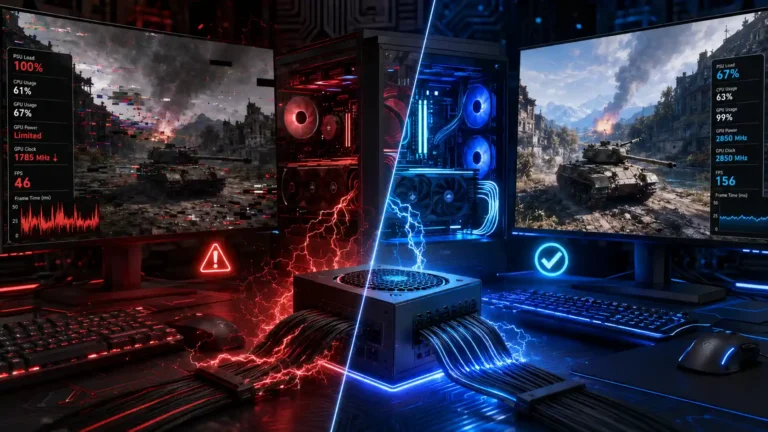
Important: CPU usage at 100% doesn’t automatically mean a bottleneck, and GPU usage below 100% doesn’t automatically mean the CPU is the problem. Modern games use variable numbers of threads, background tasks add noise, and some engines intentionally cap frame rates or hold GPU usage below maximum for thermal or power reasons. Context — which scene, which settings, which other software is running — matters as much as the raw numbers.
CPU vs GPU Bottleneck With RTX 4060
| Symptom | Likely Cause | What to Check |
|---|---|---|
| Low GPU usage, high CPU core usage | CPU bottleneck | Individual core usage, CPU clock speed, background apps |
| Stuttering with inconsistent frame times | Could be either — check utilization patterns | Frame time graph, 1% lows, driver/game updates |
| Low 1% lows despite decent average FPS | Often CPU-related, sometimes background processes | CPU core usage spikes, RAM speed/timings, background tasks |
| GPU at 95–99% utilization | Normal, healthy GPU-bound performance | Nothing wrong — this is expected behavior |
| FPS increasing after lowering resolution | GPU-bound at the original resolution | GPU utilization at both resolutions |
| FPS barely changing after lowering resolution | CPU-bound | CPU core usage, clock speed, background load |
Intel vs AMD for RTX 4060
Neither brand is universally better for this GPU — the right pick depends on budget, platform plans, and what else the system needs to do.
Gaming performance: Both AMD’s Ryzen 5/7 non-X3D chips and Intel’s Core i5/Ultra 5 lineup comfortably keep up with an RTX 4060 in current games. AMD’s X3D chips lead outright gaming benchmarks, but that lead matters far less once the GPU — not the CPU — is the limiting factor, which is the common case with this GPU.
Price-to-performance: AMD’s AM4 platform (Ryzen 5 5600) is currently the cheapest way to a competent pairing thanks to low motherboard and DDR4 RAM costs. Intel’s Core i5-14600K is competitive if you already own a compatible board.
Power efficiency: AMD’s 65W AM5 chips generally run cooler and pull less power under load than comparable Intel parts, which simplifies cooling choices in smaller builds.
Motherboard cost: AM4 boards are inexpensive and mature. AM5 and Intel’s current sockets both require pricier DDR5-based boards, though budget B-series boards keep costs reasonable.
DDR4/DDR5 compatibility: AM4 and some older Intel boards still support DDR4, which lowers total build cost. AM5 and Intel’s current-generation boards are DDR5-only.
Upgrade path: AM5 currently offers the clearer long-term upgrade runway, with AMD having confirmed the socket will support future CPU generations. Intel’s current sockets don’t have the same confirmed longevity.
Budget builds: AM4 (Ryzen 5 5600) or a discounted Core i5-14600K on an existing board both work well.
Mid-range builds: Ryzen 5 7600X/9600X, Core Ultra 5 250K Plus, or Ryzen 5 7500X3D all pair cleanly with an RTX 4060.
RTX 4060 + CPU Pairing by Budget
| Tier | CPU | Does spending more make sense here? |
|---|---|---|
| Cheapest sensible | AMD Ryzen 5 5600 | Only if you want a longer upgrade runway than AM4 offers |
| Best budget | Intel Core i5-14600K (if reusing a board) | Worth it mainly if the board is already owned |
| Best value | AMD Ryzen 5 7600X / 9600X | This is the sweet spot for most builds — spending more yields little extra real-world FPS with this GPU |
| Best overall | AMD Ryzen 5 7500X3D | Worth it specifically for high-refresh 1080p and frame time consistency |
| High-end | AMD Ryzen 7 9700X | Justified only for streaming, heavy multitasking, or planning a future GPU upgrade |
Going beyond the Ryzen 7 9700X tier — into 9800X3D or 9950X3D territory — isn’t justified by the RTX 4060 itself. That spending only pays off once you upgrade to a substantially faster GPU.
RTX 4060 CPU Pairing by Use Case
The right CPU for an RTX 4060 isn’t fixed — it shifts depending on what you’re actually doing with the system, from casual 60 FPS gaming to streaming while you play.
60 FPS Gaming
Almost any current six-core CPU is sufficient. The Ryzen 5 5600 or a similar budget chip won’t hold back frame rates at this target.
1080p 144Hz Gaming
Mid-range chips like the Ryzen 5 7600X, Ryzen 5 9600X, or Core i5-14600K comfortably sustain 144Hz in the majority of titles.
1080p 240Hz Gaming
This is where cache-heavy or higher-clocked chips like the Ryzen 5 7500X3D start to matter, particularly in esports titles where consistent frame time matters more than raw average FPS.
1440p Gaming
The GPU becomes the primary factor. Any of the mid-range CPUs listed above are more than sufficient; spending more on the CPU alone won’t meaningfully raise frame rates here.
Esports Gaming
Prioritize single-core performance and cache over core count. The Ryzen 5 7500X3D is a strong fit for this specific use case.
Streaming
Extra cores help encode video alongside gameplay without stealing performance from the game itself. The Ryzen 7 9700X or Core Ultra 5 250K Plus are better suited here than pure six-core chips.
Gaming + Productivity
Chips with stronger multi-threaded performance, like the Core Ultra 5 250K Plus or Ryzen 7 9700X, handle mixed workloads — video editing, compiling, multitasking — better than budget six-core parts.
Future GPU Upgrade
If you plan to upgrade to a significantly faster GPU later, buying a CPU with more headroom now (Ryzen 7 9700X, or even further into X3D territory) avoids a second CPU purchase down the line — but only makes sense on a platform with a confirmed upgrade path, like AM5.
Does RTX 4060 Need a High-End CPU?
No. The RTX 4060 is a 1080p-to-1440p GPU, and pairing it with a flagship CPU produces diminishing returns because the GPU becomes the limiting factor in most games well before a high-end CPU would.
Spending on a top-tier CPU for this GPU specifically means paying for headroom the GPU can’t use. That money is generally better spent on a better GPU, more RAM, faster storage, or a higher-refresh monitor.
A stronger CPU is justified when:
- You’re targeting very high refresh rates (240Hz+) in CPU-sensitive titles.
- You regularly play CPU-heavy games (large-scale simulation, strategy titles with heavy AI).
- You stream while gaming and need spare CPU threads for encoding.
- You do real productivity work — video editing, compiling, 3D work — alongside gaming.
- You’re planning a future GPU upgrade and want the CPU to already have headroom for it.
- You want a long-term platform (like AM5) that you’ll upgrade over several years, and are buying ahead of the GPU you’ll eventually pair it with.
RTX 4060 CPU Bottleneck at 1080p
1080p is more CPU-sensitive than higher resolutions for a simple reason: the GPU has less rendering work per frame, so the pace at which the CPU can prepare and submit frames becomes a larger share of the overall frame time.
- Chasing high FPS numbers (144, 240) puts more load on the CPU because more frames need to be prepared per second, regardless of resolution.
- Esports titles often behave differently than AAA games because they’re built to run at very high frame rates on modest hardware, which shifts more of the workload onto the CPU relative to the GPU.
- Lowering resolution while keeping other settings the same is a common diagnostic technique — if FPS jumps significantly, the system was GPU-bound at the higher resolution; if FPS barely moves, the CPU was already the limiting factor.
RTX 4060 CPU Bottleneck at 1440p
At 1440p, the GPU generally becomes the limiting component more often, since the added resolution significantly increases the GPU’s per-frame workload while the CPU’s workload doesn’t scale nearly as much with resolution.
This isn’t an absolute rule. A CPU-heavy simulation title, a poorly optimized game engine, or an older/weaker CPU can still create a CPU-side limitation even at 1440p — it’s just less common than at 1080p with this GPU.
Can an Older CPU Run RTX 4060?
Many older CPUs handle an RTX 4060 just fine, and there’s no clean generational cutoff where a CPU suddenly becomes “too old” for this GPU. What matters is the CPU’s actual single-core performance and how it holds up in the specific games you play.
Examples where an existing CPU is still adequate:
- A six-core Ryzen 5000-series or 10th/11th-gen Intel Core i5 paired with an RTX 4060 for 1440p gaming at 60-75 FPS.
- An older quad-core-plus-hyperthreading CPU used mainly for older or less demanding titles at 1080p.
- Any CPU from the last several years used primarily for single-player, story-driven games rather than high-refresh competitive titles.
Where an older CPU starts to struggle is usually specific: chasing very high frame rates, playing CPU-heavy simulation or strategy titles, or running background software (streaming, heavy browser tabs, Discord with screen share) alongside the game.
Best CPU Upgrade From an Older Platform
Before recommending any CPU upgrade, check motherboard compatibility first — a socket mismatch turns a simple CPU swap into a full platform rebuild.
- Upgrade only the CPU: Makes sense if your current motherboard supports a meaningfully faster CPU on the same socket (for example, moving within AM4 or within a compatible Intel socket generation).
- Upgrade CPU + motherboard: Necessary when moving to a new socket, such as jumping from AM4 to AM5, or from an older Intel socket to a current one.
- Upgrade CPU + motherboard + RAM: Required when the new platform uses a different memory standard — moving to AM5 or Intel’s current platforms means moving to DDR5, since neither one supports DDR4.
- Keep your existing platform: The right call if your current CPU already isn’t the limiting factor for your RTX 4060 at your target resolution and refresh rate — there’s nothing to gain from upgrading yet.
Common RTX 4060 CPU Pairing Mistakes
- Overspending on CPU — pairing this GPU with a flagship CPU wastes money the GPU can’t turn into extra frames.
- Buying a CPU without checking motherboard compatibility — socket mismatches are the most common budgeting mistake in CPU upgrades.
- Ignoring RAM configuration — running single-channel memory or slow DDR4/DDR5 speeds can bottleneck a perfectly good CPU regardless of which one you bought.
- Focusing only on average FPS — a high average with poor 1% lows can feel worse to play than a lower, steadier frame rate.
- Ignoring 1% lows — these matter more for perceived smoothness than headline average FPS numbers.
- Assuming every game has the same bottleneck — a CPU-bound esports title and a GPU-bound open-world game on the same system behave completely differently.
- Assuming 100% CPU usage automatically means bottleneck — background load and multi-threaded game engines can push usage up without necessarily limiting FPS.
- Assuming 99% GPU usage is always bad — this is often exactly what healthy, GPU-bound performance looks like.
- Buying for benchmarks instead of actual use case — a CPU that wins synthetic benchmarks by a wide margin may deliver a nearly identical real-world experience with this specific GPU.
FAQs
What is the best CPU for RTX 4060?
The AMD Ryzen 5 7600X or Ryzen 5 9600X offers the best overall balance of gaming performance, price, and platform longevity for an RTX 4060. Both avoid bottlenecking the GPU at 1080p and 1440p without overspending on performance the GPU can’t use.
What CPU pairs best with RTX 4060?
Any current six-core-or-larger CPU from AMD’s Ryzen 5000/7000/9000 series or Intel’s 12th-gen-and-newer Core lineup pairs well. The Ryzen 5 7600X, Ryzen 5 9600X, and Core i5-14600K are particularly strong matches for this specific GPU.
What is the cheapest CPU that won’t bottleneck RTX 4060?
The AMD Ryzen 5 5600 is the cheapest CPU that reliably avoids bottlenecking an RTX 4060 in most games. Its AM4 platform also keeps total build cost low, though it offers less future upgrade runway than AM5.
Does RTX 4060 bottleneck CPU?
The RTX 4060 can leave a weaker or older CPU underutilized in GPU-bound scenes, but “bottleneck” runs both directions — a weak CPU can just as easily hold the GPU back. Which one happens depends on the specific game, settings, and resolution.
Is RTX 4060 CPU or GPU bound?
It depends on resolution and settings: at 1080p and high frame rate targets it leans more CPU-bound, while at 1440p it’s usually GPU-bound. Neither answer is universal across every game.
Is RTX 4060 good for 1080p gaming?
Yes, the RTX 4060 handles 1080p gaming well at high settings in the large majority of current titles, including many demanding AAA games with upscaling enabled.
Can RTX 4060 run 1440p?
Yes, the RTX 4060 can run 1440p, particularly with upscaling technology enabled, though frame rates in the most demanding titles will be lower than at 1080p.
Does RTX 4060 need a high-end CPU?
No. A mid-range CPU is enough to avoid bottlenecking this GPU in nearly all games, and spending on a flagship CPU produces diminishing returns for this specific GPU tier.
Is an older Ryzen or Intel CPU enough for RTX 4060?
Often yes — many six-core CPUs from the last several years still pair adequately with an RTX 4060, especially at 1440p or in less CPU-demanding games. High-refresh competitive gaming is where older CPUs are more likely to show their age.
Does CPU affect RTX 4060 FPS?
Yes, CPU choice affects FPS whenever the system is CPU-bound, which happens more often at 1080p, high frame rate targets, and in CPU-heavy game genres. In GPU-bound scenarios, a faster CPU won’t raise FPS further.
Does RTX 4060 bottleneck at 1080p?
CPU bottlenecks are more common at 1080p than at 1440p because the GPU workload per frame is lower, shifting more of the frame-rate ceiling onto the CPU — but this varies by game and CPU, not a fixed rule.
Should I upgrade my CPU or GPU first?
Diagnose which component is actually limiting your performance before spending — if GPU utilization is consistently near 100% in your games, the GPU is the priority; if it’s noticeably below that with high CPU usage, the CPU is the bottleneck worth addressing first.
Final Recommendation
Best Overall CPU for RTX 4060: AMD Ryzen 5 7600X / Ryzen 5 9600X
Best Budget CPU: AMD Ryzen 5 5600
Best Value CPU: AMD Ryzen 5 7600X / Ryzen 5 9600X
Best for High-FPS 1080p: AMD Ryzen 5 7500X3D
Best for Future GPU Upgrade: AMD Ryzen 7 9700X
The Ryzen 5 7600X and 9600X are the pick for most builders because they eliminate CPU bottleneck risk for this GPU entirely while keeping platform costs reasonable and leaving AM5’s upgrade path open. The Ryzen 5 5600 is the right call if the budget is genuinely tight or you’re reusing existing AM4 parts — it does the job without excess spending, at the cost of a shorter upgrade runway.
If your priority is squeezing out every frame at high refresh rates in competitive 1080p titles, the extra cache on the Ryzen 5 7500X3D earns its price premium in smoother, more consistent frame times. And if you’re planning to pair a faster GPU with this same system down the road, the Ryzen 7 9700X buys headroom now so you’re not paying for a second CPU upgrade later.