
Best Windows Game Mods & Mod Managers for PC Gaming (2026)
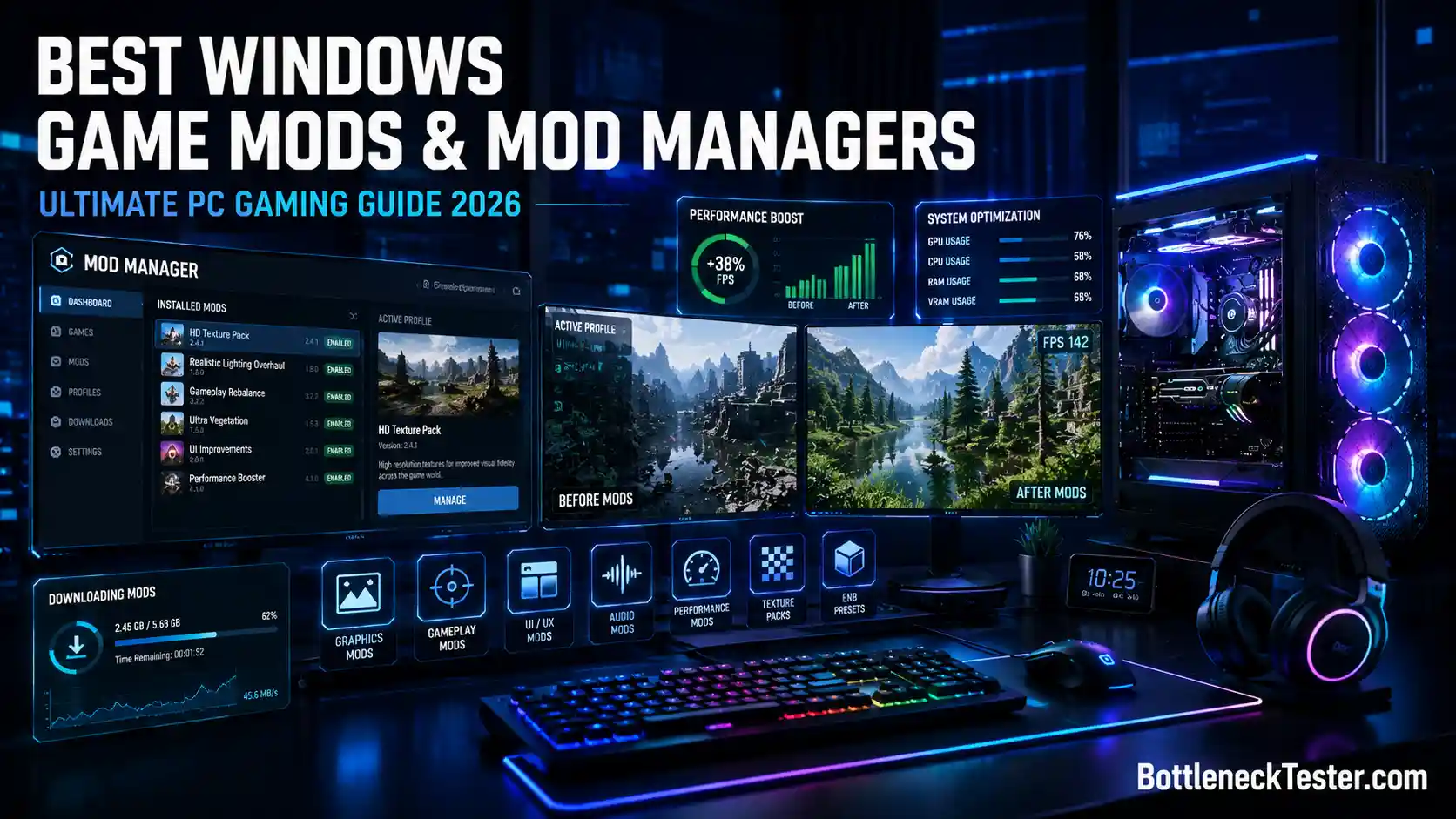
PC gaming gives you one thing consoles never will: full control over your game files. That control is what makes modding possible, and modding is what turns a five-year-old game into something that feels brand new.
This guide walks through what mods actually are, the best mods worth installing right now, the mod managers that make installation painless, and how to avoid the mistakes that crash your game or put your PC at risk.
Quick answer: The best mod manager is the one that matches the game. Vortex is the easiest choice across Nexus Mods, Mod Organizer 2 is the heavy mod manager for a large Skyrim or Fallout list, CurseForge is the usual installer for Minecraft, and r2modman or Thunderstore covers Unity games such as Valheim. A game mod is still just a user-made file that changes a PC game, so get it from Nexus Mods, Steam Workshop, CurseForge, or Thunderstore, and scan the archive before you enable it.
Key takeaways
- Mods fall into five types: cosmetic, gameplay, content, total conversion, and utility.
- Vortex and CurseForge are the easiest mod managers to start with. Mod Organizer 2 is the one for a heavy Skyrim or Fallout list.
- Skyrim, Fallout 4, Minecraft, and Cyberpunk 2077 have the largest and most active mod communities.
- Download only from Nexus Mods, Steam Workshop, CurseForge, Thunderstore, or ModDB, and scan every archive before extracting it.
- Gameplay-altering mods in online competitive games can trigger anti-cheat bans; single-player use is almost always safe.
What Is a Windows Game Mod?
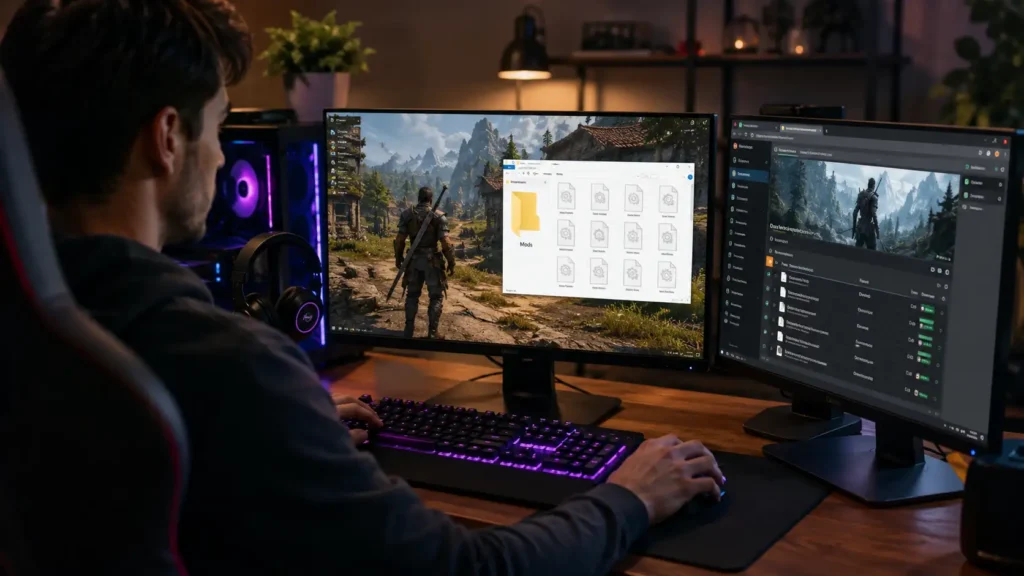
A game mod is a file, or set of files, created by a player or developer that changes something about an existing game. It could change a texture, add a weapon, rewrite a quest, or overhaul the entire game engine’s behavior.
Mods run on top of the base game. The original game files stay mostly intact, while the mod either replaces certain assets or injects new code and content through a loader.
How Game Mods Work
Most mods work in one of three ways. They replace existing files (like swapping a character model), they add new files the game reads through a plugin system, or they inject code that changes how the game behaves in real time.
Games built with modding in mind, like those using the Creation Engine (Skyrim, Fallout) or Unreal Engine, expose files and hooks that make this easier. Games without built-in mod support need external tools to make changes possible at all.
A load order also matters here. When you install several mods, Windows and the game engine need to know which files take priority if two mods try to change the same thing.
Types of Game Mods
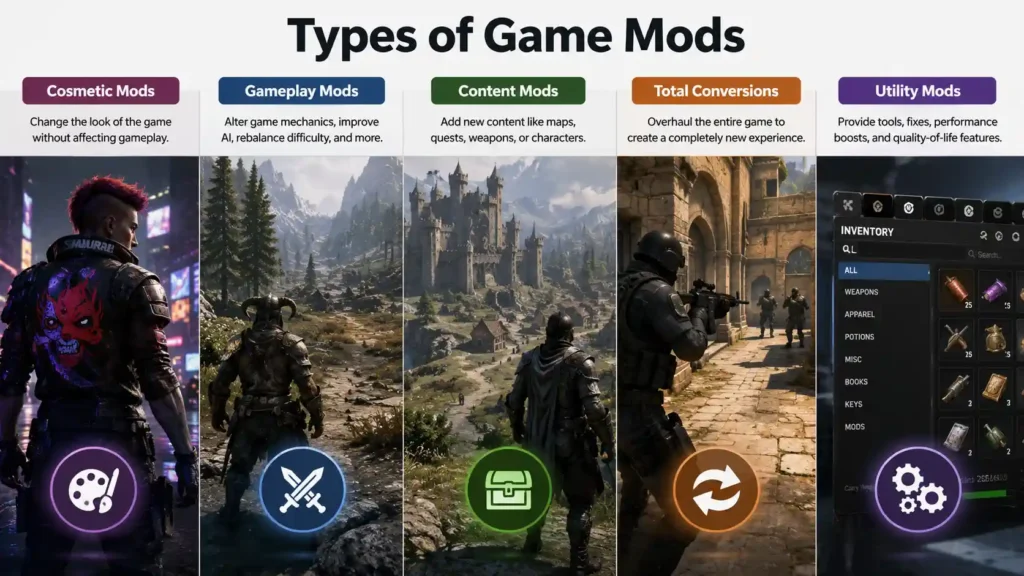
Mods generally fall into a few clear categories:
- Cosmetic mods – reskins, textures, models, and UI changes that don’t touch gameplay.
- Gameplay mods – new mechanics, rebalanced combat, altered AI behavior.
- Content mods – new maps, quests, weapons, characters, or entire storylines.
- Total conversions – mods so extensive they turn the base game into something almost unrecognizable, like Counter-Strike did as a Half-Life mod.
- Utility mods – tools like trainers, save editors, or performance patches that don’t add content but change how the game runs.
Why Gamers Use Mods
People mod games for very different reasons. Some want better graphics on older titles. Others want new content once they’ve finished everything a game officially offers.
A large chunk of modding also comes down to fixing things developers never got around to, like Skyrim’s outdated inventory UI or Fallout 4’s clunky settlement building tools. The Skyrim and Fallout communities on Nexus Mods have kept those games relevant for over a decade this way.
Benefits of Installing Game Mods
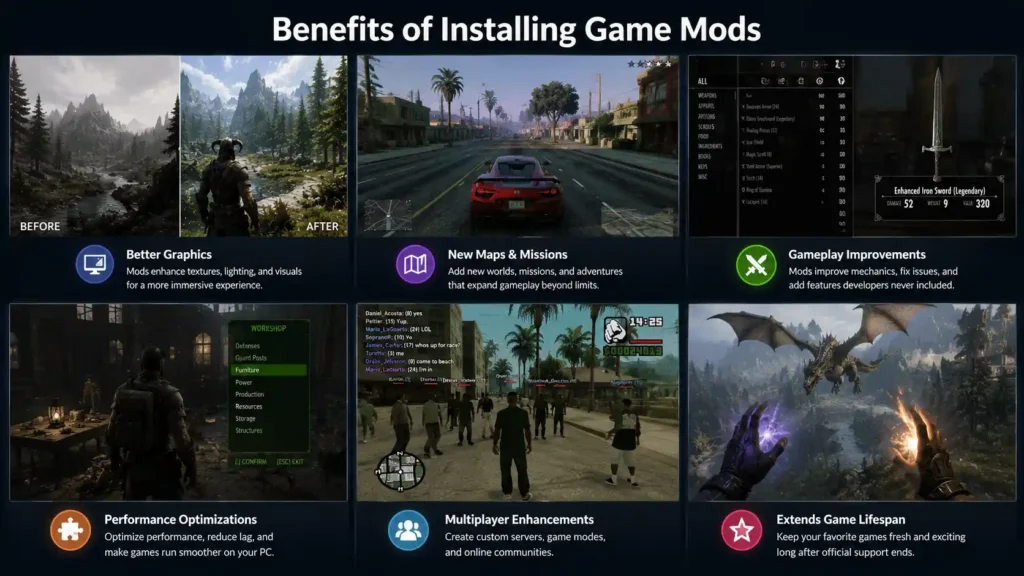
Better Graphics
Texture packs, lighting overhauls, and shader mods can make a decade-old game look close to modern releases. Skyrim especially benefits here, since its base textures were already dated at launch on Windows 7-era hardware.
New Maps & Missions
Games like Garry’s Mod and GTA San Andreas thrive almost entirely because of community-made maps and missions. Without this content, both games would have far shorter lifespans.
Gameplay Improvements
Mods can fix broken mechanics, rebalance difficulty, or add features developers never shipped. Fallout 4’s survival overhaul mods are a good example, adding hunger, thirst, and disease systems the base game lacks.
Performance Optimizations
Not every mod adds content. Some strip out unnecessary background processes, fix memory leaks, or patch stuttering issues, especially in older titles not optimized for newer Windows 11 hardware.
Multiplayer Enhancements
Mods like SA-MP turned a single-player game into a full multiplayer platform with custom servers, game modes, and communities that still run today, years after the base game’s release.
Mods: Pros and Cons
| Pros | Cons |
|---|---|
| Extends a game’s lifespan for years | Can introduce crashes or instability |
| Fixes issues developers never patched | Carries malware risk from untrusted sources |
| Free access to huge amounts of new content | May void support or trigger anti-cheat bans online |
| Lets you tailor difficulty and visuals | Requires ongoing updates as the base game patches |
Best Windows Game Mods
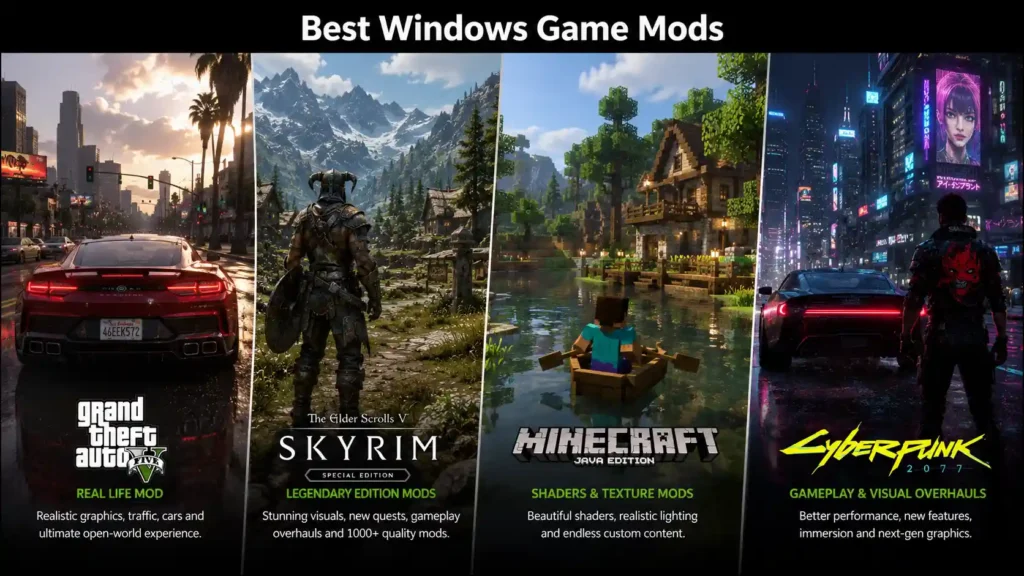
1. GTA 5 Real Life Mod
This mod overhauls Los Santos with realistic traffic AI, weather cycles, and NPC behavior. It’s popular among players who want GTA 5 to feel like a life simulator rather than an arcade shooter.
2. Garry’s Mod
Technically a standalone game built on Valve’s Source engine, Garry’s Mod is really a sandbox for user-created content. Its Steam Workshop hosts hundreds of thousands of maps, tools, and game modes.
3. BakkesMod (Rocket League)
BakkesMod adds training tools, custom camera settings, and practice utilities for Rocket League. It’s widely used by competitive players to improve mechanics without affecting ranked matchmaking fairness, since it doesn’t alter gameplay against other players.
4. Pixelmon (Minecraft)
Pixelmon adds an entire Pokémon-style creature-catching system into Minecraft, complete with battles, breeding, and regional biomes. It’s one of the most downloaded Minecraft mods of all time on CurseForge.
5. GTA 5 Spider-Man Mod
This mod replaces the player character model and adds web-swinging traversal mechanics to GTA 5’s open world, turning Los Santos into a makeshift Marvel playground.
6. Monke Mod Manager
Built specifically for Gorilla Tag, Monke Mod Manager simplifies installing community mods for a game that has no official mod support of its own. It’s a community-built tool that automatically detects your Gorilla Tag install folder, downloads the mods you pick, and places them in the correct location along with any required core libraries. If it can’t find the install path on its own, you point it to the folder manually, usually under Steam\steamapps\common\Gorilla Tag.
Because it’s scoped to one game, don’t expect it to handle anything beyond Gorilla Tag’s modding ecosystem. That narrowness is actually the point. A tool trying to support twenty games rarely handles any single one as cleanly.
7. SA-MP (GTA San Andreas Multiplayer)
SA-MP is a total conversion that adds dedicated multiplayer servers to GTA San Andreas. Entire roleplay communities have run on SA-MP servers for close to two decades.
8. Counter-Strike Xtreme
Counter-Strike Xtreme is a standalone total-conversion mod built on the original CS 1.6 GoldSrc engine, not a simple reskin. It adds far more playable characters and weapons than base Counter-Strike, along with a zombie mode and a ghost mode that change the core objective entirely. It’s still actively hosted and updated on ModDB, with newer community remakes like V7 adding expanded weapon-switching systems on top of the original release.
If you’re installing an older version, expect some rough edges. Widescreen resolution changes are a known crash point in several releases, so setting the game to its default 4:3 resolution first, then adjusting display settings after confirming the mod loads, avoids the most common startup crash.
9. San Andreas Mod Installer
Rather than a single mod, this refers to tools built to simplify installing multiple GTA San Andreas mods at once, handling file conflicts and backups automatically.
10. GTA Vice City Graphics Mods
Community texture packs and lighting overhauls bring Vice City’s early-2000s visuals closer to modern resolution and lighting standards, without changing the core game.
11. Skyrim Mods
Skyrim has one of the largest modding scenes in PC gaming history. Popular categories include graphics overhauls (like texture and lighting mods), new quest lines, combat overhauls, and UI fixes.
12. Fallout 4 Mods
Fallout 4’s mod scene covers everything from settlement building expansions to full survival overhauls. Bethesda even built official mod support directly into the game through its Creation Club system.
13. Cyberpunk 2077 Mods
Since Cyberpunk 2077’s major patches and the Phantom Liberty expansion, its modding scene has grown around graphics enhancements, new vehicles, and gameplay balance changes.
14. Stardew Valley Mods
Stardew Valley’s mod community focuses on quality-of-life improvements, new farm layouts, and expanded content packs. SMAPI, the game’s modding framework, makes this one of the easiest games to mod safely.
15. Elden Ring Mods
Elden Ring’s mod scene includes seamless co-op tools, difficulty overhauls, and convenience mods. Most serious Elden Ring modders avoid using mods in online play, since FromSoftware’s anti-cheat can flag modified save files.
Best Mod Managers for Windows
Vortex Mod Manager
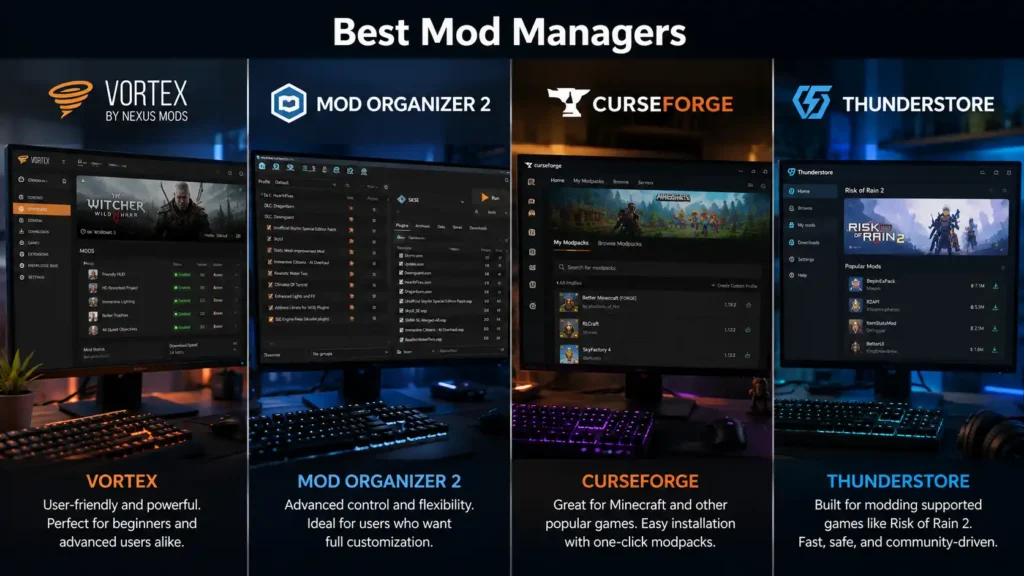
Made by Nexus Mods, Vortex automatically detects conflicts between mods and manages load order for supported games like Skyrim, Fallout, and Cyberpunk 2077. Nexus Mods says it supports over 500 games, with one-click installs from Nexus pages. It is the best first mod manager when you play more than one game and the list is still small.
Mod Organizer 2
MO2 uses a virtual file system instead of directly modifying game folders, meaning your original game files stay untouched. This is the heavy mod manager: a long Skyrim, Fallout, or Starfield list, separate profiles for different playthroughs, and a game folder that stays clean when you uninstall. Experienced Bethesda modders prefer it once the list gets large. It is harder to learn than Vortex, and it is worth that cost only when you need the control.
WeMod
WeMod focuses on single-player trainers rather than traditional content mods, offering things like unlimited health or ammo toggles. It should never be used in online multiplayer games, since trainers can trigger anti-cheat bans.
Frosty Mod Manager
Built for EA’s Frostbite engine games like Battlefield and Mass Effect, Frosty lets players install mods without permanently altering the original game archives.
Thunderstore Mod Manager
Thunderstore serves games built on Unity and BepInEx, including Lethal Company and Valheim. It handles dependency downloads automatically, which matters since many Unity mods rely on shared plugin frameworks. r2modman, covered below, installs from the same catalog.
CurseForge
Originally built for World of Warcraft add-ons, CurseForge now supports Minecraft, Stardew Valley, and dozens of other titles through one unified launcher.
Nexus Mods App
Discontinued, use Vortex: Nexus Mods was building this separate cross-platform app alongside Vortex, but in January 2026 it stopped development to put all its effort into Vortex. If you are starting today, install Vortex for Nexus Mods games instead.
r2modman
Best for Thunderstore games: r2modman is the free community manager for the same Unity and BepInEx games Thunderstore covers, including Valheim, Lethal Company, and Risk of Rain 2. You pick the game, install from the in-app list, and launch through r2modman so the mods actually load. Use r2modman or Thunderstore’s own app for a game, not both at once, or the two installs will fight over the same plugins.
Steam Workshop
Best when the game already has it: Steam Workshop is a mod installer built into the Steam client. You subscribe on the game’s Workshop page, Steam downloads the files, and updates arrive with the game. It is the right tool for Garry’s Mod and for other Steam games that publish a Workshop. It will not install a Nexus mod, and it will not sort a conflict the way Mod Organizer 2 does.
Wabbajack
Best for installing a complete modlist: Wabbajack is not a manager you build a setup in. It installs whole modlists that other players have already assembled and tested, often hundreds of mods for Skyrim or Fallout, and rebuilds that setup inside Mod Organizer 2. It only works with Mod Organizer 2, and fully automatic downloads need a Nexus Mods Premium account. Without Premium you click through each download by hand, which can take many hours on a large list. Check the list’s GPU and VRAM requirements before you start.
Baldur’s Gate 3 Mod Manager
Built into the game: Since Patch 7, Baldur’s Gate 3 has an official in-game Mod Manager backed by mod.io, so many mods install from the game’s own menu with no external tool. Some mods, such as those that need a script extender, are still distributed on Nexus Mods and installed outside it.
BakkesMod
Rocket League only: BakkesMod is already in the mod list above. It installs training tools, custom maps, and camera settings for Rocket League. It is free, and it is not a general game mod manager. Install it from the official BakkesMod site, and do not expect it to handle Skyrim, Minecraft, or anything else.
Mod Manager Comparison Table
| Mod manager | Games it supports | Price | Ease of use |
|---|---|---|---|
| Vortex | Nexus Mods catalog, including Skyrim, Fallout, and Cyberpunk 2077. Nexus Mods says over 500 games. | Free. Nexus Premium only speeds downloads. | Easiest all-rounder |
| Mod Organizer 2 | Skyrim, Fallout, Starfield, and other Creation Engine games | Free | Harder. Built for a heavy mod list. |
| CurseForge | Minecraft, Stardew Valley, World of Warcraft | Free | Easy |
| r2modman | Thunderstore games such as Valheim, Lethal Company, and Risk of Rain 2 | Free | Easy |
| Thunderstore Mod Manager | The same Thunderstore catalog as r2modman | Free | Easy |
| Steam Workshop | Steam games that publish a Workshop, such as Garry’s Mod | Free, built into Steam | Easiest, when the game supports it |
| BakkesMod | Rocket League only | Free | Easy, one game |
| WeMod | Single-player trainers, not content mods | Free tier, paid Pro | Easy. Not for online games. |
| Frosty Mod Manager | Frostbite games such as Battlefield and Mass Effect | Free | Intermediate |
| Wabbajack | Complete pre-built modlists, installed into Mod Organizer 2 | Free. Nexus Premium for automatic downloads. | Easy to run, long download |
| Baldur’s Gate 3 Mod Manager | Baldur’s Gate 3 only (mod.io) | Free, built into the game | Easiest for BG3 |
| Nexus Mods App | Development stopped in January 2026 | Free | Not recommended. Use Vortex. |
Which Mod Manager Should You Choose?
For Skyrim
Mod Organizer 2 if you want precise control over load order and profiles. Vortex if you want something that sets up faster with less manual configuration.
For Fallout
The same logic applies as Skyrim, since both games share Bethesda’s Creation Engine. MO2 for advanced users, Vortex for a smoother learning curve.
For Minecraft
CurseForge is the standard choice, thanks to its huge Minecraft-specific mod library and one-click modpack installation.
For GTA
Manual installation is still common for GTA titles, though dedicated GTA mod installers exist for players who don’t want to manage files by hand.
For Lethal Company, Valheim and Other Co-op Games
r2modman or the Thunderstore Mod Manager. Make one profile per game and share the profile code with your group so everyone runs exactly the same mods. Mismatched mod lists are the most common reason a modded co-op lobby will not connect.
For Baldur’s Gate 3
Start with the in-game Mod Manager. Only go to Nexus Mods and Vortex for a mod that is not available in the game’s own list.
For a Fully Modded Skyrim Without the Setup Work
Wabbajack, with a popular modlist that matches your graphics card. Big visual lists can need far more VRAM than the base game, so read the list’s requirements first.
For Unreal Engine Games
Check whether Vortex supports the game first. If it does not, most Unreal Engine mods are .pak files placed by hand in a ~mods folder inside the game’s Paks directory, following the instructions on the mod page.
Can You Use Two Mod Managers on One Game?
Avoid it. Each manager tracks only the files it deployed, so two managers on the same game install leave files neither one knows about, break clean uninstalls, and create conflicts that are hard to trace. Pick one manager per game and keep it.
How to Install Game Mods on Windows
Manual Installation
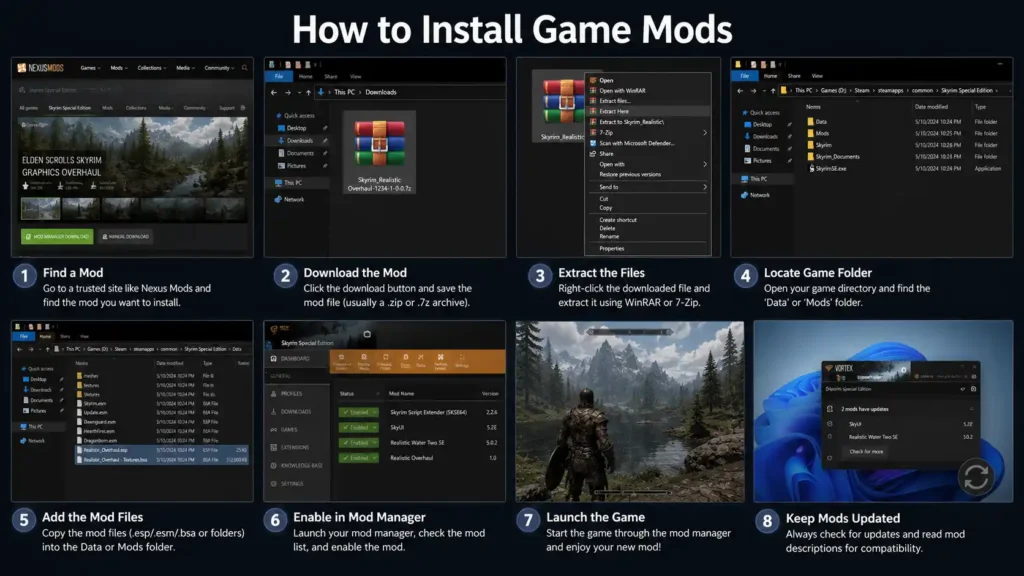
- Download the mod file from a trusted source.
- Extract the archive using a tool like 7-Zip.
- Copy the extracted files into the correct game directory, usually the Data or Mods folder.
- Launch the game and enable the mod if the game has an in-game mod menu.
Using Vortex
- Install Vortex and link it to your game library.
- Download mods directly through the “Vortex” button on Nexus Mods pages.
- Vortex places the files automatically and flags any conflicts.
- Enable the mod inside Vortex and set your load order if needed.
Using Mod Organizer 2
- Install MO2 and point it to your game’s installation folder.
- Add mod archives through MO2’s built-in installer.
- Arrange your load order in the left-hand panel.
- Launch the game through MO2’s own launcher button, not the game’s default executable.
Using Thunderstore
- Install the Thunderstore Mod Manager and select your game.
- Browse or search the in-app mod list.
- Click install, and Thunderstore handles dependencies automatically.
- Launch the game through the manager to make sure mods load correctly.
Using WeMod
- Install the WeMod app and sign in.
- Launch your single-player game first.
- Open WeMod and select the matching trainer.
- Toggle the cheats you want active during that session.
How to Install Mods on Windows 11
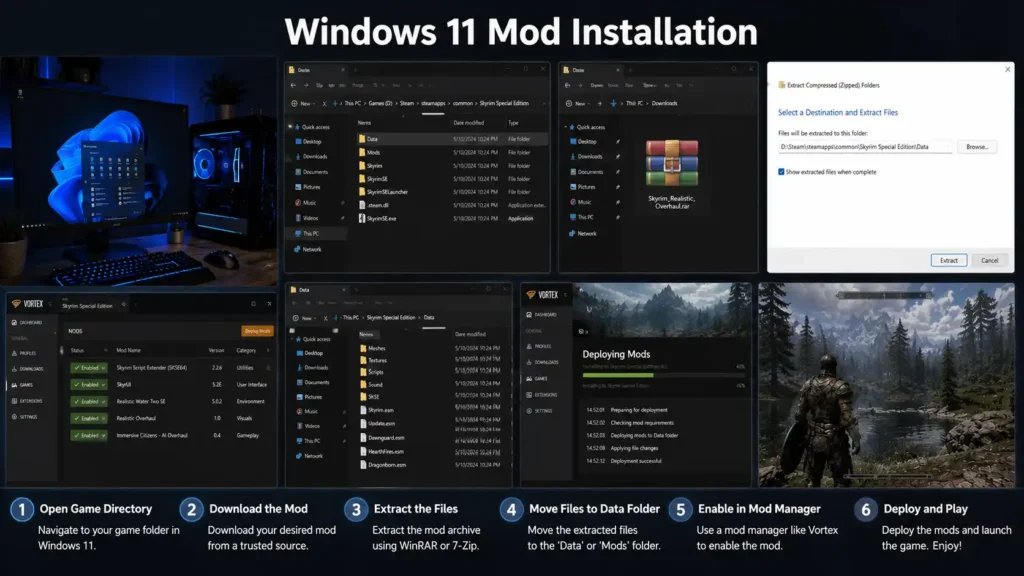
Windows 11 handles modding the same way Windows 10 does, though its stricter default security settings sometimes block unsigned mod installers. If Windows Defender flags a mod manager on first launch, check that you downloaded it from the official site before allowing it through.
Windows 11’s file permission system can also block direct writes to folders under Program Files. Installing games outside that folder, on a separate drive, avoids most of these permission issues.
How to Install Mods on Windows 10
Windows 10 mod installation works nearly identically to Windows 11, with fewer default security prompts. Most mod managers, including Vortex and MO2, run without extra configuration on Windows 10.
The main thing to check is that .NET Framework and Visual C++ Redistributables are up to date, since many mod managers depend on them to run properly.
Can You Install Mods on Windows 7?
Limitations
Windows 7 no longer receives security updates from Microsoft, which affects how safely you can run new software, including mod managers. Some newer mod manager versions have also dropped Windows 7 support entirely.
Compatibility
Older mods built around Windows 7-era games usually still work fine. Newer mod managers, especially ones built on modern .NET versions, may refuse to launch.
Security Risks
Running unsupported software on an unsupported operating system increases exposure to malware, since Windows 7 no longer gets patched against newly discovered vulnerabilities. This matters more with mods than most software, given how many come from unofficial sources.
How to Install Mods Safely
The install steps above get the files in place. These are the checks that keep a bad file from taking the save or the PC with it.
Back up the save first: Copy the save folder before a large install. Keep two or three copies, not one. A broken mod can corrupt the newest save before you notice, and a single backup is often that save.
Use one manager per game: Mixing Vortex with files you copied by hand is the usual way a load order breaks. Pick one manager and let it own that game.
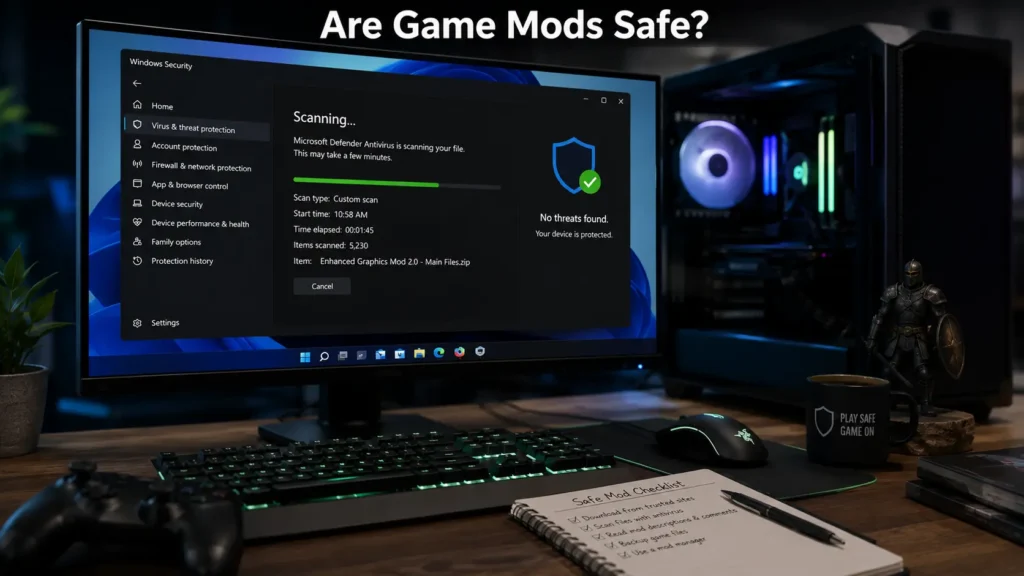
Scan the archive: Run it through Windows Security before you extract it. A mod that asks you to turn antivirus off is not one you should install.
Add a few at a time: Enable a handful, launch the game, then add more. If it crashes, the last batch is the suspect. Installing forty mods in one sitting makes that guess impossible.
Set the load order: On Skyrim and Fallout, run LOOT after Vortex or Mod Organizer 2 sorts the list, and read the warnings it flags. Two mods that edit the same record need an order, or one silently overwrites the other.
Are Game Mods Safe?
Virus Risks
Mods are executable files or scripts, which means they can carry malware just like any other download. This risk is highest with mods from unfamiliar sites rather than established platforms.
Trusted Download Sources
Stick to well-known platforms like Nexus Mods, Steam Workshop, CurseForge, and Thunderstore. These sites have moderation systems and community reporting that catch most malicious uploads.
How to Scan Mods
Run downloaded mod archives through Windows Defender or a dedicated antivirus tool before extracting them. Avoid disabling your antivirus to “let a mod install,” which is a common trick used to spread malware disguised as a mod.
Avoiding Malware
Be cautious of mods that ask you to disable your antivirus, run as administrator without a clear reason, or come bundled with unrelated installers. Legitimate mods rarely need elevated permissions beyond writing to the game’s own folder.
A practical test that catches most fakes: check the file size against what the mod’s own page lists. A “graphics overhaul” that’s 4 MB when the description promises 4K textures, or a mod archive padded with an .exe you didn’t expect, is worth abandoning before you extract it.
Best Websites to Download Game Mods
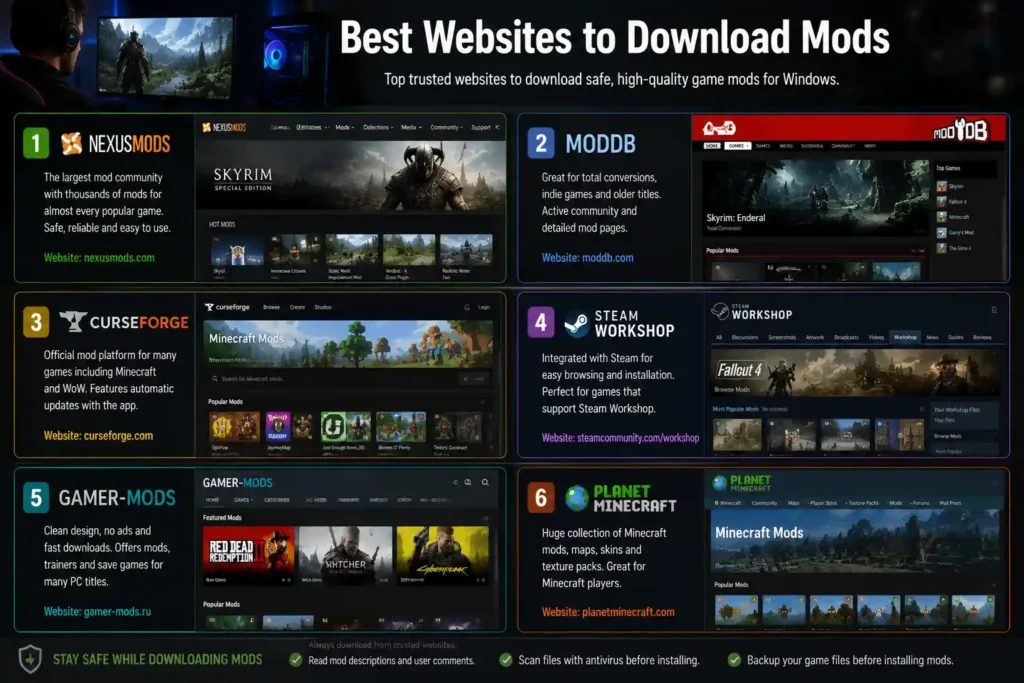
- Nexus Mods – the largest mod repository for Bethesda titles, Cyberpunk 2077, and many single-player RPGs.
- ModDB – a long-running database covering mods across nearly every genre and engine.
- Thunderstore – focused on Unity and BepInEx-based games like Valheim and Lethal Company.
- CurseForge – the standard for Minecraft and Stardew Valley mods.
- Steam Workshop – built-in mod distribution for any Steam game that supports it, including Garry’s Mod.
- GitHub – used by developers distributing open-source mods and tools, often for more technical utilities like SMAPI or BepInEx itself.
Common Mod Installation Problems
Game Crashes
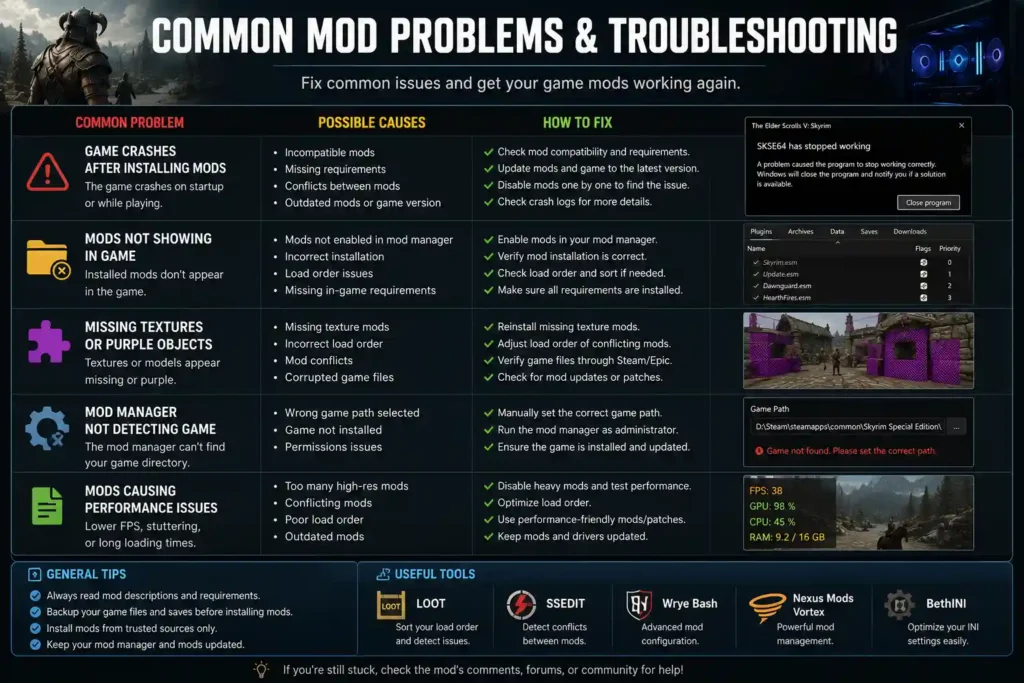
Usually caused by incompatible mod versions or a mod requiring a game patch level you don’t have installed. Checking the mod’s required game version before installing prevents most of this.
Mods Not Loading
Often a load order issue, or the mod manager pointing to the wrong game directory. Reinstalling the mod through the manager, rather than manually, usually fixes this.
Version Conflicts
Two mods editing the same file can silently overwrite each other. Mod managers like Vortex flag this automatically, while manual installs require checking file overlaps yourself.
Missing Dependencies
Many mods rely on frameworks like SKSE (Skyrim) or SMAPI (Stardew Valley) to function. Installing the mod without its required framework is one of the most common reasons mods fail silently.
Load Order Issues
When multiple mods change overlapping systems, the order they load in determines which change takes priority. Tools like LOOT (used alongside Vortex and MO2) can auto-sort load order for Bethesda games specifically.
One habit worth building early: after LOOT auto-sorts your load order, don’t assume it’s final. LOOT flags mods it can’t confidently place, and those flagged entries are almost always where a crash traces back to when something breaks after adding several mods at once.
Script Errors
Papyrus script errors in Skyrim, or similar scripting engine errors in other games, usually point to a mod conflict rather than a corrupted game file. Checking the game’s crash log narrows down which mod is responsible.
Do Mods Affect Performance or FPS?
Sometimes. It depends on what the mod changes, not on which manager installed it.
Graphics mods can: 4K texture packs, lighting overhauls, and ENB presets raise GPU load and VRAM use. That shows up as lower FPS and, when the card runs out of video memory, stutter and texture pop-in. Check the card against a VRAM bottleneck, and run the same parts through the FPS calculator before you stack a heavy visual list.
The manager does not: Vortex, Mod Organizer 2, CurseForge, and Thunderstore do not change your frame rate. They only place files. The mods are what the game has to render.
Some mods raise FPS: Bug fixes, lower-detail LODs, and performance presets exist for the same games. If the frame rate fell after a graphics pack, disable that pack before you buy a new card.
A heavy list can move the limit onto the CPU: New cities and dense NPCs ask more of the processor than the base game did. If the GPU stays well under full use and the frame rate will not climb when you lower the settings, the CPU is the limit. Run the parts through the bottleneck calculator, then follow how to fix a bottleneck before you replace hardware.
Tips for Better Mod Performance
SSD Installation
Installing heavily modded games on an SSD instead of a hard drive cuts load times significantly, especially with texture-heavy mods that increase file sizes.
Backup Save Files
Back up your save files before installing new mods, particularly for story-driven games. A broken mod can corrupt saves in ways that are difficult to reverse.
Keep at least two or three rotating backups rather than one. A single backup can still be a corrupted save if you didn’t catch the problem until a few play sessions later.
Keep Mods Updated
Outdated mods are the most common source of crashes after a game receives an official update. Checking your mod manager for update notifications regularly avoids this.
Disable Conflicting Mods
If you notice new crashes after adding a mod, disable it first before troubleshooting anything else. Isolating the newest addition is the fastest way to find the source of a conflict.
Use Correct Load Order
For Bethesda games specifically, running a load order tool like LOOT after every new mod installation keeps your setup stable, since manual sorting gets error-prone past a handful of mods.
Frequently Asked Questions
What is the best mod manager for PC?
Whichever one the game’s own guides use: Vortex for most Nexus Mods games, Mod Organizer 2 for a large Skyrim or Fallout list, CurseForge for Minecraft, r2modman or Thunderstore for Unity games, and Steam Workshop when the game has one. There is no single installer that is best at all of them.
What is the best mod installer?
The manager’s own app, not a random setup file: Vortex, CurseForge, and Thunderstore install from the mod page. A “mod installer” from a video description or a file host is a common way fake installers spread. Download the manager from its own site.
What is a heavy mod manager?
Mod Organizer 2, for a heavy list: The phrase means the tool that can hold a large Skyrim or Fallout load order without writing those files into the real game folder. That is Mod Organizer 2. Vortex is easier to learn and a worse fit once the list runs into the hundreds of mods.
Is Steam Workshop a mod manager?
For the games that support it, yes: You subscribe, and Steam downloads and updates the files. It will not install a Nexus mod for Skyrim, and it will not sort a conflict. Use Workshop where it exists, and a dedicated manager where it does not.
What is the best game mod for Windows?
There isn’t one universal answer, since the best mod depends on the game you own. For open-world sandbox content, Garry’s Mod stands out. For RPG overhauls, Skyrim’s mod library is unmatched in scale.
Are game mods legal?
Yes, most mods are legal as long as they don’t include stolen copyrighted assets or enable piracy. Modding a game you legally own for personal use is generally accepted by developers, though some multiplayer games explicitly ban mods in their terms of service.
Can mods damage my PC?
Mods themselves rarely damage hardware, but poorly coded ones can cause crashes, save corruption, or system instability. Malware disguised as a mod is the real risk, which is why source matters more than the mod itself.
What is the safest mod manager?
Vortex and Mod Organizer 2 are both considered the safest options, since they’re maintained by established teams and used by millions of players without major security incidents.
Where should I download game mods?
Stick to Nexus Mods, Steam Workshop, CurseForge, Thunderstore, or ModDB. Avoid unofficial forums or file-sharing sites promising exclusive mods.
Can I use mods in online games?
It depends on the game. Cosmetic or client-side mods are often tolerated, but gameplay-altering mods in competitive online games frequently trigger anti-cheat systems and can result in bans.
Do mods reduce FPS?
Graphics-heavy mods can lower FPS on older hardware, especially texture and lighting overhauls. Performance mods can raise it. The manager itself does not change the frame rate. The split is in Do Mods Affect Performance or FPS?
Which games have the best mod support?
Skyrim, Fallout 4, Minecraft, and Cyberpunk 2077 consistently rank among the most actively modded PC games, thanks to strong community tools and, in some cases, official developer support.
Is WeMod free?
Yes, WeMod offers a free tier with basic trainers, along with a paid Pro subscription that unlocks additional trainers and features across more games.
What’s the difference between Vortex and Mod Organizer 2?
Vortex modifies game folders directly and automates conflict detection, while Mod Organizer 2 uses a virtual file system that keeps original game files untouched. Vortex suits beginners; MO2 suits modders who want cleaner, more precise control.
Final Verdict
If you’re modding a Bethesda game, start with Vortex for ease of use, then move to Mod Organizer 2 once you’re comfortable managing load orders yourself. For Minecraft or Stardew Valley, CurseForge and SMAPI respectively are the standard, low-friction choice.
Always download from Nexus Mods, Steam Workshop, CurseForge, or Thunderstore rather than unfamiliar sites, and scan new mod files before installing them. A modded PC game can last for years past its original release, but only if the setup stays stable, updated, and sourced from places that actually vet what they host.
Related guides
GPU Tier List 2026
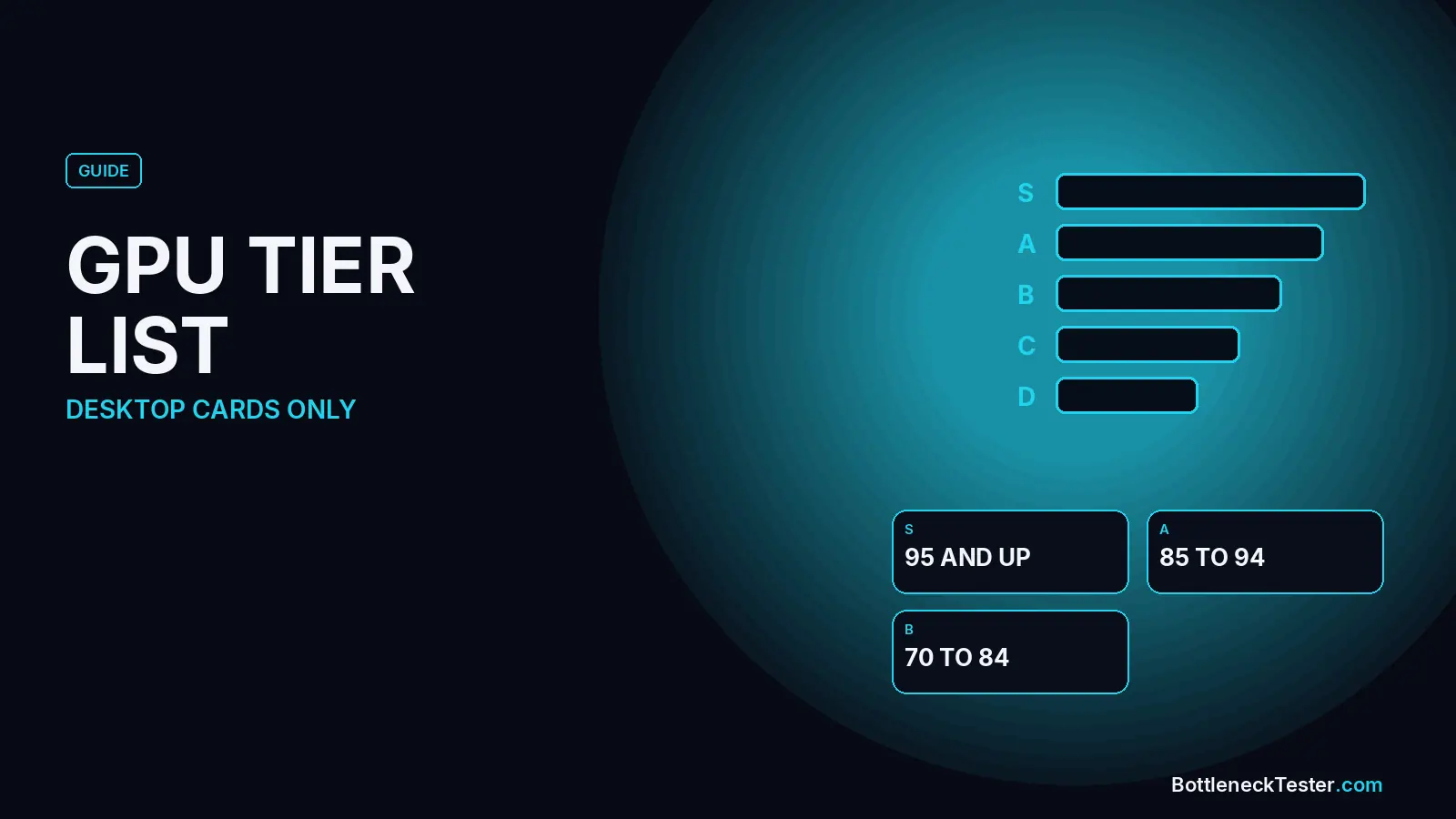
Desktop graphics cards ranked by our gaming scores into S, A, B, C, and D, with VRAM, TDP, and the CPU that stays under a 10% limit at 1440p.

GPU Compare: Compare Any Two Graphics Cards
Compare gaming score, VRAM, TDP, and a 1440p bottleneck estimate for current graphics cards, with the CPU held still so the card is the only change.
CPU Compare: Compare Any Two Processors
Compare cores, socket, gaming score, and a 1440p bottleneck estimate for eight CPU pairs, with an RTX 4070 held still so the chip is the only change.