
Best GPU for i5-12400F
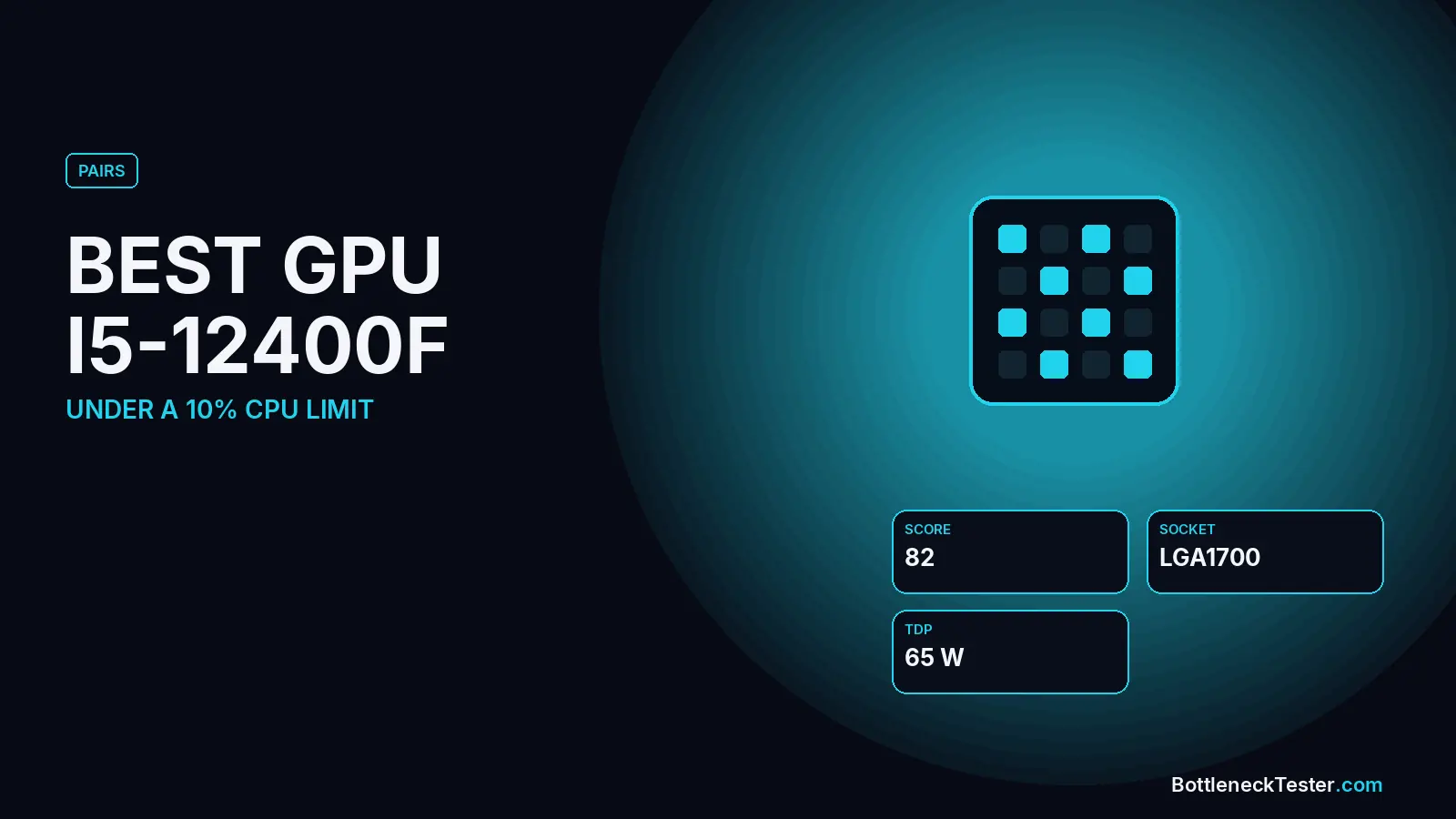
Intel’s 12th-gen Core i5-12400F is one of the most common budget gaming CPUs: six performance cores, twelve threads, a 4.4 GHz boost and no integrated graphics. It’s also faster for gaming than its price suggests, so the real question isn’t whether it can run a modern graphics card, but where the extra money stops paying off. This guide answers that with measured frame rates from TechPowerUp’s GPU testing and our calculator’s estimate of how the 12400F balances with 16 cards.
Quick Answer: Best GPU for i5-12400F
The RTX 5070 and RTX 4070 SUPER are the closest matches for an i5-12400F, both within 1.2% in our calculator at 1080p and 1440p. On a tighter budget, the RTX 5060 Ti 16GB and RX 9060 XT 16GB stay under 5% with the GPU as the slower part. The RX 9070 XT and RTX 5070 Ti are still sensible upper limits at about 3–4%. Above that, the 12400F becomes the slower part, and by the RTX 4090 and RTX 5090 it’s about 10% behind at 1080p.
- Best overall: RTX 5070 (1.2% at 1080p, 108.4 FPS at 1440p in TechPowerUp’s test).
- Best for 1440p with 16GB: RX 9070 (2.9%) or RX 9070 XT (4.1%).
- Best budget pick: RTX 5060 Ti 16GB or RX 9060 XT 16GB.
- Skip: 8GB cards for 1440p, and RTX 5080-class cards unless you plan a CPU upgrade.
Pick a GPU by Frame Rate: Measured FPS vs 12400F Balance
This table puts two things side by side: what each card averaged in TechPowerUp’s 25-game test, and how our calculator expects it to balance with an i5-12400F.
| GPU | Review FPS, 1080p | Review FPS, 1440p | 12400F, 1080p | 12400F, 1440p |
|---|---|---|---|---|
| RTX 4060 8GB | 74.4 | 52.5 | 9.2%, GPU | 12.8%, GPU |
| Arc B580 12GB | 76.4 | 57.4 | 6.7%, GPU | 9.3%, GPU |
| RX 7700 XT 12GB | 104.4 | 76.9 | 2.5%, GPU | 3.5%, GPU |
| RTX 5060 Ti 16GB | 106.2 | 77.8 | 2.5%, GPU | 3.5%, GPU |
| RX 7800 XT 16GB | 120.6 | 89.9 | 0.8%, GPU | 1.2%, GPU |
| RTX 4070 SUPER 12GB | 138.9 | 102.6 | 0%, balanced | 0%, balanced |
| RTX 5070 12GB | 143.6 | 108.4 | 1.2%, CPU | 0.8%, CPU |
| RX 9070 16GB | 151.6 | 114.3 | 2.9%, CPU | 2.1%, CPU |
| RX 9070 XT 16GB | 163.8 | 125.5 | 4.1%, CPU | 2.9%, CPU |
| RTX 5070 Ti 16GB | 171.5 | 133.1 | 3.5%, CPU | 2.5%, CPU |
| RX 7900 XTX 24GB | 173.4 | 134.7 | 5.2%, CPU | 3.8%, CPU |
| RTX 5080 16GB | 187.8 | 149.1 | 8.7%, CPU | 6.3%, CPU |
| RTX 4090 24GB | 215.4 | 172.4 | 9.9%, CPU | 7.1%, CPU |
| RTX 5090 32GB | 240.0 | 205.8 | 10.4%, CPU | 7.6%, CPU |
Source for the FPS columns: TechPowerUp, ASUS GeForce RTX 5060 Ti TUF 16GB review, 25-game averages (the RTX 5060 Ti row is the reference-clocked card from that review). These were measured on TechPowerUp’s own test system, not on an i5-12400F. The two right-hand columns are our calculator’s estimates: “GPU” means the card is the slower part, “CPU” means the 12400F is.
How to read it: up to the RX 7800 XT, you can expect frame rates close to the review figures, because the graphics card is the limit. From the RTX 5070 upward, the 12400F starts to cap the card, so the review numbers become a ceiling you won’t fully reach, especially at 1080p. The crossover sits around the RTX 4070 SUPER and RTX 5070, cards that average about 139–144 FPS at 1080p in TechPowerUp’s test.
The RTX 5060 and RX 9060 XT aren’t in that chart. In our calculator, the RTX 5060 is 6.3% GPU-limited at 1080p and the RX 9060 XT 16GB is 3.4%.
How Powerful a GPU Can an i5-12400F Handle?
More than most budget builders give it. In our database the 12400F scores 82 for gaming, and it keeps every card up to the RX 7900 XTX within about 5% at 1080p. Resolution moves the line:
- At 1080p: the CPU matters most, because the graphics card renders frames quickly and waits for the processor. The 12400F passes 5% from the RX 7900 XTX upward.
- At 1440p: the graphics card does more of the work. Every card in our table stays under 8%, including the RTX 5090.
- At 4K: the 12400F is never the real limit; even the RTX 5090 is at 4.5%.
The practical limit is cost, not performance. An RTX 5080 or faster usually costs several times as much as the CPU, and at that budget a faster processor makes more sense. In TechPowerUp’s numbers, even on their test system the RTX 5090 is only 28% faster than the RTX 5080 at 1080p, against 38% at 1440p. Top cards already gain less at 1080p, and a 12400F narrows that further.
Best GPUs for i5-12400F by Use
RTX 5070: Best Overall
At 1.2% CPU-limited at 1080p and 0.8% at 1440p, it’s one of the two closest matches in our table, and it averaged 108.4 FPS at 1440p in TechPowerUp’s test. Its 12GB of VRAM is enough for 1440p today. The RTX 4070 SUPER is an equally good match if you find one at a better price.
RX 9070 and RX 9070 XT: Best for 1440p With 16GB
Both lean slightly toward the CPU (2.9% and 4.1% at 1080p), which is a small gap. In return you get 16GB of VRAM and 114–126 FPS at 1440p in TechPowerUp’s numbers. The plain RX 9070 is the closer match for this CPU.
RTX 5060 Ti 16GB and RX 9060 XT 16GB: Best Budget Picks
Both are GPU-limited by under 5%, so the 12400F has a little headroom left. Buy the 16GB versions: the 8GB models of these cards can run short of memory in new games at high settings.
Arc B580: Budget 1080p
The B580 averaged 76.4 FPS at 1080p in TechPowerUp’s test, ahead of the RTX 4060, with 12GB of VRAM. Early reviews found Arc cards lose noticeable performance on older CPUs such as the Ryzen 5 2600. Hardware Unboxed later reported that Intel’s driver updates fixed most of this, and that with a Ryzen 5 5600 the problem is no longer common. The 12400F is at least as fast as a Ryzen 5 5600 for gaming, so it’s a reasonable pair. Arc cards also need Resizable BAR enabled in the BIOS, which LGA1700 boards support.
RTX 5070 Ti: The Sensible Ceiling
At 3.5% at 1080p and 2.5% at 1440p, the 12400F still keeps up reasonably well. It’s the fastest card we’d pair with this CPU without planning a CPU upgrade.
Check Your Motherboard: PCIe Slots and x8 Cards
The 12400F provides PCIe 5.0 lanes for the graphics slot, but many B660 and B760 boards wire that slot as PCIe 4.0. That’s fine for every current card. Cheaper cards like the RTX 5060 Ti, RTX 5060, RTX 4060 and Arc B580 use only eight PCIe lanes, so they need at least PCIe 4.0 to avoid losing bandwidth. Every LGA1700 board meets that, so the x8 problem that affects older PCIe 3.0 systems doesn’t apply here. The RX 9060 XT uses a full x16 link. GPU-Z shows the link speed your slot is really running.
Memory: DDR4 Is Fine, Dual Channel Is Not Optional
The 12400F supports both DDR4 and DDR5, but each motherboard takes only one type. A DDR4 board keeps costs down, and if you already own DDR4, keep it. What matters far more is running two sticks:
| Memory setup | RTX 5060 Ti | RTX 5070 | RX 9070 XT | RTX 5080 |
|---|---|---|---|---|
| 16GB dual channel | 2.5%, GPU | 1.2%, CPU | 4.1%, CPU | 8.7%, CPU |
| 32GB dual channel | 2.9%, GPU | 0.6%, CPU | 3.5%, CPU | 8.1%, CPU |
| Only 8GB | 1.2%, CPU | 5.8%, CPU | 8.7%, CPU | 13.3%, CPU |
| Single-channel (one stick) | 3.5%, CPU | 8.1%, CPU | 11%, CPU | 15.7%, CPU |
Calculator estimates at 1080p, 144Hz. Not game benchmarks.
One stick of RAM takes the RTX 5070 from a near-perfect match to 8.1% CPU-limited, a bigger loss than the step between most of the cards in this guide. Prebuilt and budget systems often ship with a single stick, so check yours before blaming the CPU: a second matching stick is the cheapest fix for a memory bottleneck.
How Other Settings Change the Pairing
| Setting | RTX 5060 Ti | RTX 5070 | RX 9070 XT | RTX 5080 |
|---|---|---|---|---|
| 1080p, default | 2.5%, GPU | 1.2%, CPU | 4.1%, CPU | 8.7%, CPU |
| 1080p, 240Hz target | 2%, GPU | 1.3%, CPU | 4.6%, CPU | 9.9%, CPU |
| 1080p, streaming while gaming | 1.9%, GPU | 1.4%, CPU | 4.8%, CPU | 10.2%, CPU |
| 1080p, upscaling on | 2.2%, GPU | 1.3%, CPU | 4.4%, CPU | 9.5%, CPU |
| 1080p, ray tracing on | 2.9%, GPU | 1%, CPU | 3.6%, CPU | 7.8%, CPU |
| 1440p, default | 3.5%, GPU | 0.8%, CPU | 2.9%, CPU | 6.3%, CPU |
Calculator estimates, 144Hz and 16GB DDR4-3200 dual channel unless the row changes it. Not game benchmarks.
Settings that lighten the graphics load, like upscaling or a 240Hz target, push more work onto the CPU. Ray tracing does the opposite. With an RTX 5070, none of these move the 12400F past 1.5%. With an RTX 5080, streaming and high refresh rates push it to about 10%.
Power Supply for an i5-12400F Build
Intel rates the 12400F at 65W base power and 117W maximum turbo power. Using the turbo figure, our formula of (CPU + GPU + 75W) × 1.3 gives these sizes:
| Graphics card | Board power | Suggested PSU |
|---|---|---|
| RTX 4060, RTX 5060 | 115W, 145W | 450W |
| Arc B580, RTX 5060 Ti, RX 9060 XT | 180–190W | 550W |
| RTX 4070 SUPER, RX 9070 | 220W | 550W |
| RTX 5070, RX 7700 XT, RX 7800 XT | 245–263W | 650W |
| RTX 5070 Ti, RX 9070 XT | 300–304W | 650W |
| RTX 5080, RX 7900 XTX | 355–360W | 750W |
| RTX 4090 | 450W | 850W |
| RTX 5090 | 575W | 1000W |
Board power figures are the values in our database. Check your specific card’s recommendation too, since factory-overclocked models can draw more. A unit that is too small shows up as shutdowns under load, not as lower FPS.
i5-12400F vs i5-12400: Does It Change the GPU Choice?
No. The two chips have the same cores and clocks, and our calculator gives them identical results. The only difference is that the non-F i5-12400 has Intel UHD Graphics 730 built in. With a 12400F, your PC can’t show a picture without a graphics card, so you can’t use the motherboard’s video outputs for troubleshooting.
Is the i5-12400F Still Good in 2026?
For gaming with a mid-range graphics card, yes. It keeps everything up to the RTX 5070 Ti and RX 9070 XT within about 4% at 1080p in our calculator, and it runs well on cheap B660 or B760 boards with DDR4. Its weak spots are high-refresh 1080p gaming with top-end cards and heavy multitasking, where its six cores are a limit.
When to Upgrade the CPU Instead
If you want an RTX 5080 or faster, or play competitive games at 240Hz, a drop-in CPU upgrade on the same LGA1700 board removes most of the limit. In our calculator, the Core i5-14600K takes an RTX 5080 from 8.7% to 3.5% at 1080p, and the Core i7-14700K to 1.2%. Check your board’s CPU support list and update the BIOS first. For 13th and 14th-gen chips, use a BIOS that includes Intel’s microcode fix for instability (version 0x12B or newer). Moving to Core Ultra processors needs a new motherboard.
Frequently Asked Questions
What GPU goes with an i5-12400F?
A mid-range card: the RTX 5070 or RTX 4070 SUPER for the closest balance, the RX 9070 for 1440p with 16GB of VRAM, or the RTX 5060 Ti 16GB or RX 9060 XT 16GB on a budget.
Will an i5-12400F bottleneck an RTX 5070?
Barely. Our calculator shows 1.2% at 1080p and 0.8% at 1440p, a near-perfect pair.
Is the RTX 5070 Ti too much for the i5-12400F?
No. It’s 3.5% CPU-limited at 1080p and 2.5% at 1440p, a small gap. It’s the fastest card we’d pair with this CPU without also planning a CPU upgrade.
Will an i5-12400F bottleneck an RTX 4090 or RTX 5090?
Slightly at 1080p: 9.9% with the RTX 4090 and 10.4% with the RTX 5090, rising to about 12% with a 240Hz target. At 4K it stays under 5%. A CPU this cheap with a GPU that expensive is rarely the best use of the budget.
Is the i5-12400F good for 1440p gaming?
Yes. Every card in our table stays under 8% at 1440p, and the RTX 5070, RX 9070 and RX 7800 XT are within about 2%.
Does the i5-12400F work with the Intel Arc B580?
Yes. It’s GPU-limited by 6.7% at 1080p in our calculator. Enable Resizable BAR in the BIOS and keep Intel’s graphics driver updated, since driver updates have reduced Arc’s CPU overhead.
Should I choose AMD or NVIDIA for the i5-12400F?
Either works; the CPU doesn’t favor one brand. Choose on price, VRAM and features: NVIDIA for DLSS and stronger ray tracing, AMD for more VRAM at a given price.
Is an 8GB RTX 4060 or RTX 5060 a good pair?
For 1080p on a tight budget, yes, but they leave the CPU underused (9.2% and 6.3% GPU-limited at 1080p) and 8GB of VRAM is a growing limit. The 16GB RTX 5060 Ti or RX 9060 XT is the safer budget choice.
What power supply do I need for an i5-12400F gaming PC?
550W for cards up to the RTX 5060 Ti, RX 9060 XT or RX 9070, and 650W for an RTX 5070, RX 9070 XT or RTX 5070 Ti. See the table above for faster cards.
Does the i5-12400F need a big cooler?
No. It’s a 65W base-power chip, and Intel’s boxed cooler or any basic tower cooler handles it in games.
Check Your Exact Pair
Run your own build through the bottleneck calculator, estimate frame rates with the FPS calculator, and compare cards on the GPU tier list. If you’re still choosing a CPU, the Ryzen 5 5600 is the AM4 alternative at a similar price.
Related guides
Best GPU for i5-13600K
The RTX 4070 SUPER or RX 9070 is the best GPU for an i5-13600K at 1440p. See 23 cards, the FPS each upgrade adds, and whether an i7-14700K swap is worth it.
Best CPU for RTX 5060 Ti and RTX 5060
The cheapest CPUs that keep up with an RTX 5060 Ti, from the Ryzen 5 5600 to the 7500F, plus review FPS, future GPU upgrades, 8GB vs 16GB and PCIe 3.0.
GPU Tier List 2026
44 desktop GPUs from the RTX 3050 to the RTX 5090 ranked S to D by TechPowerUp's 25-game averages, with 1080p, 1440p and 4K FPS and VRAM for each card.